
泰拉瑞亞這款游戲的好玩不用小編多說(shuō)了吧,小編在這里就給大家?guī)?lái)了由玩家“1vbbvg”分享的泰拉瑞亞配置修改方法詳解,感興趣的小伙伴就進(jìn)來(lái)看看吧 。
配置修改方法詳解
本文將介紹及引導(dǎo)玩家更改有關(guān)于Terraria的配置而不是修改游戲,請(qǐng)各位在修改之前做好備份 。
將介紹:Config.json的相關(guān)修改;注冊(cè)表的相關(guān)修改 。
Config文件
(1)Wiki鏈接
http://terraria.gamepedia.com/Config.json_settings
(2)關(guān)于Config
config文件是Terraria的配置文件(廢話),他的位置一般在Documents\My Games\Terraria中,也就是你的存檔文件夾中 。文件中包括(但不限于)Terraria設(shè)置菜單中的項(xiàng)目 。
config文件和achievements.dat等文件均可以移植,也就是拷貝到新電腦上后仍然起作用 。
config文件是Terraria必須的,如果你要清除所有設(shè)置,建議把config剪切到其他文件夾,不建議刪除 。
config文件不分正盜版均存在(建議入正) 。
(3)其他系統(tǒng)的config文件位置(Wiki)
Windows: Documents\My Games\Terraria
Mac: ~/Library/Application support/Terraria
Linux: $XDG_DATA_HOME/Terraria
(4)打開(kāi)文件
config文件是可讀的,所以直接用notepad打開(kāi)就行 。
小貼士:Win+R快速調(diào)出運(yùn)行后輸入notepad就可以快速打開(kāi) 。
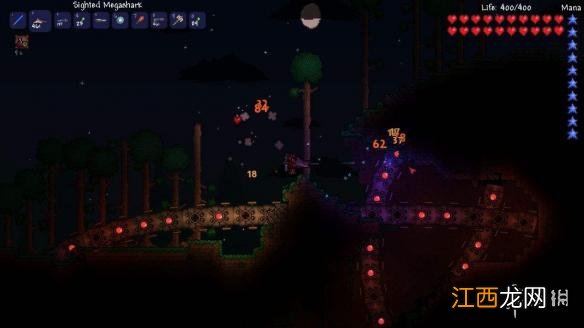
文章插圖
(1)原文件及備注(來(lái)源于Terraria 1.3.5.3)
(括號(hào)內(nèi)為部分選項(xiàng)的備注,其他未備注的選項(xiàng)請(qǐng)自行翻譯)
config.json
{
"SmartCursorToggle": true,
"MapEnabled": true,(小地圖)
"InvasionBarMode": 2,
"AutoSave": true,
"AutoPause": false,
"Language": "en-US",
"PlacementPreview": true,
"GoreVisualsAllowed": true,
"VolumeSound": 0.75,
"VolumeAmbient": 0.75,
"VolumeMusic": 0.75,(三個(gè)都是聲音有關(guān)的配置)
"UseExperimentalFeatures": true,(啟用實(shí)驗(yàn)特性,即Seeds與材質(zhì)包)
"Fullscreen": false,
"WindowMaximized": true,
"WindowBorderless": false,
"DisplayWidth": 1920,
"DisplayHeight": 1018,
"GraphicsQuality": 0,
"BackgroundEnabled": false,
"FrameSkipMode": 0,
"LightingMode": 0,
"LightingThreads": 0,
"Parallax": 0.88,(視差)
"ShowItemText": true,
"LastLaunchedVersion": 194,
"ClientUUID": "9fd6c47d-30d3-474d-abe5-321be8c7****",(客戶端GUID,入正后每個(gè)人的不同)
"UseSmartCursorForCommonBlocks": true,
"UseSmartAxeAfterSmartPickaxe": false,
"UseSmartWallReplacement": true,
"DisableLeftShiftTrashCan": false,
"HighlightNewItems": true,
"HidePasswords": false,
"ReverseUpDownForArmorSetBonuses": false,
"MouseShowBuildingGrid": true,
"AllowUnfocusedInputOnGamepad": false,
"LockOnPriority": 2,
"InvisibleCursorForGamepad": true,
"GamepadDisableInstructionsDisplay": false,
"SettingsUnlock_WorldEvil": true,(選擇世界邪惡種類(lèi))
"SettingsEnabled_MinersWobble": true,
"UseStormEffect": false,
"UseHeatDistortion": true,
"WaveQuality": 3,
"Support4K": true,
"MouseColor": {
"R": 38,
"G": 38,
"B": 38
},
"MouseBorderColor": {
"R": 255,
"G": 255,
"B": 255,
相關(guān)經(jīng)驗(yàn)推薦



![陰陽(yáng)師彼岸花CP是誰(shuí)?彼岸花官方CP出來(lái)了[多圖]](http://img1.jingyanla.com/220430/103224I61-0-lp.jpg)





- 泰拉瑞亞專(zhuān)家難度福袋禁裝怎么獲得 泰拉瑞亞專(zhuān)家新三王福袋
- 泰拉瑞亞邏輯電路怎么合成 泰拉瑞亞邏輯電路的詳細(xì)教程
- 泰拉瑞亞自動(dòng)安放器詳解 泰拉瑞亞自動(dòng)安裝器有什么用
- 泰拉瑞亞全魚(yú)類(lèi)獲得方法一覽 泰拉瑞亞各種魚(yú)的用法合成表
- 泰拉瑞亞專(zhuān)家前期攻略 泰拉瑞亞專(zhuān)家模式開(kāi)荒教程圖文攻略
- 泰拉瑞亞瑟銀最終Boss災(zāi)難之靈詳解 泰拉瑞亞瑟銀三災(zāi)
- 泰拉瑞亞 刷金幣 泰拉瑞亞刷金幣心得分享
- 硫酸亞鐵的作用和功效花肥,適合澆什么花
- 亞克力樹(shù)脂是什么東西 樹(shù)脂是什么東西
- 退休模擬器泰山北斗獎(jiǎng)勵(lì)一覽